I read an artical in Linux Journal about being able to do development “in the cloud” was an intersting artical, it was very ipad centric, so I set out tonight to see if the same could be done on an Android Tablet. Well the anser I found is yes it can easly be done. And I am not talking about just doing code for the device (and simulare OS devices) but even just standard C/C++ and Java. Well I was able to match basicly what he did and that is to have a command line connection to a Linux box and use an editor (he used vim, I tested with Emacs, more complex key combonations in my test) and foudn with an app called Termial IDE, it leaves you at the bash shell in Android, but a quick ssh to my home box gave me full blown Linux (much as he did in his artical) I was able to load up screen (for the occationnal disconnects that could happen over a mobil network) and fire up Emacs. From there I editied a file Ctrl-X and Ctrl-C’ed it (I did not want to save the changes but if those Ctrl keys work then the Ctrl-S should work). Well I was able to get done what I wanted. Next I though that it would be nice to have a more local dev system on the tablet to see if that could be done. Found an app called Anjedi, this is more specific to Android Java deveolpment, but I was able to get from my SVN server (it also supports GIT for those of you that use GIT) and edit some XSLT and other files, so I can see this also as a good option, I am sure there are some other tools out there that can be used but my goal was to see if I could repeat what this guy in the Linux Journal Artical did with the ipad on an Android Tablet, and the anser is yes. Now would I like to work like that very often I don’t think so, but for the quick grab my tablet and bluetooth keyboard it can work.
Netscape said it years ago, and it is coming to pass
Years ago back in the late 90’s Netscape said that the internet would replace the OS. It has taken almost 2 decades but we are there now. As things move to web apps, the OS is no longer important. I right now type this on a Linux desktop, but I could be doing it on an Android Tablet/Phone or the competitor to Android. OK you might be thinking big deal a blog that no one cares about, but let me put out there Google Docs/Drive. I recently dropped all of my Windows systems and moved everything over to Slackware (see prior posts) I have not had the need to get an MS Office replacement because I can do my Word Processing and Spreed Sheets right in Google Docs. So the need for an office suit is going to be less of a need, especially since I can load a Office document into Google Docs edit it there, and if need by download a Word version of the document. So why as a end user at home would I need to spend over $100USD for software that I don’t need, what features would Office give me that I need as a home user that I don’t get though Google Drive/Document. And with more and more stuff moving to the Android system (and the competitor’s system) and Web Apps the need for this OS or that OS really is not that big, as long as the OS can run a Web Browser for most things people are set, for Taxes most tax software places now offer web based versions also. So unless you are a gamer (ignoring vault) the OS will not affect your ability to do things (well outside of some OSes do have a issue with stability and melware)
Black listed *@yahoo.com
Well to help kill of the spam (and since I have not gotten any real email from any one that uses yahoo’s free email in over a decade, with 1 exception only one, and I put that on the whitelist and that email came in yesterday). I have been getting 3 to 10 spam messages a day with yahoo.com as the origination domain, so today, I put *@yahoo.com on the blacklist of spam assassin for my domain, all email coming from there will be deleted. To those that might ask, what if you miss 1 real email from some one still on yahoo, my advice to them would be head over to gmail and get a real email address, yahoo is just for spammers now.
Slowly reclaiming my email
I have been working for about a month now to try to reclaim my email. Every time I get spam, I have black listed the domain, I have updated more to my filters, etc, slowly I am gaining my email back, I have gone from 100 spam messages getting thought the spam filter a day to about 10 now, a bit more work and I might be able to get it down to 2 a day. I still believe that spam will kill of email, it is worthless takes up bandwidth, we need tougher laws against spam, with very high penalties.
My Twitter feed
To my friends here that might also be following my Twitter feed, you might be asking what is up with all those stupid posts I been making as of late, well once a day I will pick a “fortune” from the unix program fortune and posted it on my Twitter account. For those of you that might want to follow the madness you can find me at @MichaelPOConnor http://twitter.com/MichaelPOConnor
Memory in Linux
I remembered that Linux was good with memory, but this is just more then I expected, I have 8Gb of memory on my tower. I have 3 copies of Eclipse and a copy of Amarok, and many other programs open right now and when I run free I get
mpop@home:~$ free
total used free shared buffers cached
Mem: 8176092 8110428 65664 0 215580 4345580
-/+ buffers/cache: 3549268 4626824
Swap: 16777212 0 16777212
mpop@home:~$
all day and still it has not touched any swap space. That is just sweet, it means I have a lot of room to play in on the box.
What a day
Just a bit of posting, today I spent the AM sleeping in, something I don’t get to do, I had to move my music lesson to a later time so I could sleep in. Then when I got home I did more work on my Linux Laptop to get FVWM to look the way I want it to look. Then I meet up with some friends and we played some games. I finally get home around midnight, do some work to get my tower computer up and running again (the power supply had blown had to put the new one in).
After I get the tower up and running I spend time cleaning out the hard drive of data I don’t need, I still don’t know how I am going change this computer over, if I am going to make the partition smaller and install Slackware, then put VMware on it and boot the old windows install. Or if I am going to back up my data blast the whole drive, install Slackware, put VMware on install a fresh Windows 7 under VM, or just blast the whole drive say to heck with windows and just pull the data I can into Linux. But long and short I cleaned up the drive. I did look at the data I want to save, there is about 90Gb I want to save, and I do have an old unused 110Gb external USB drive with nothing on it, so I have started to do the backup of the data for what ever path I do take.
After cleaning the drive I had to do some work on the Issues Etc Android app. Apparently Live365 changed the URL for LPR so I had to update the URL, and removed some buttons for the new features I am working on and get that up into Google Play.
After that I finally got around to something I should have done 2 weeks ago, working on the audio file for my churches Radio commercial, but I finished that up, and now here we are at 3am, and I am going to hit the hay and see if I can sleep tonight, and get up and do it all again tomorrow.
FVWM is starting to look how I want it to look.
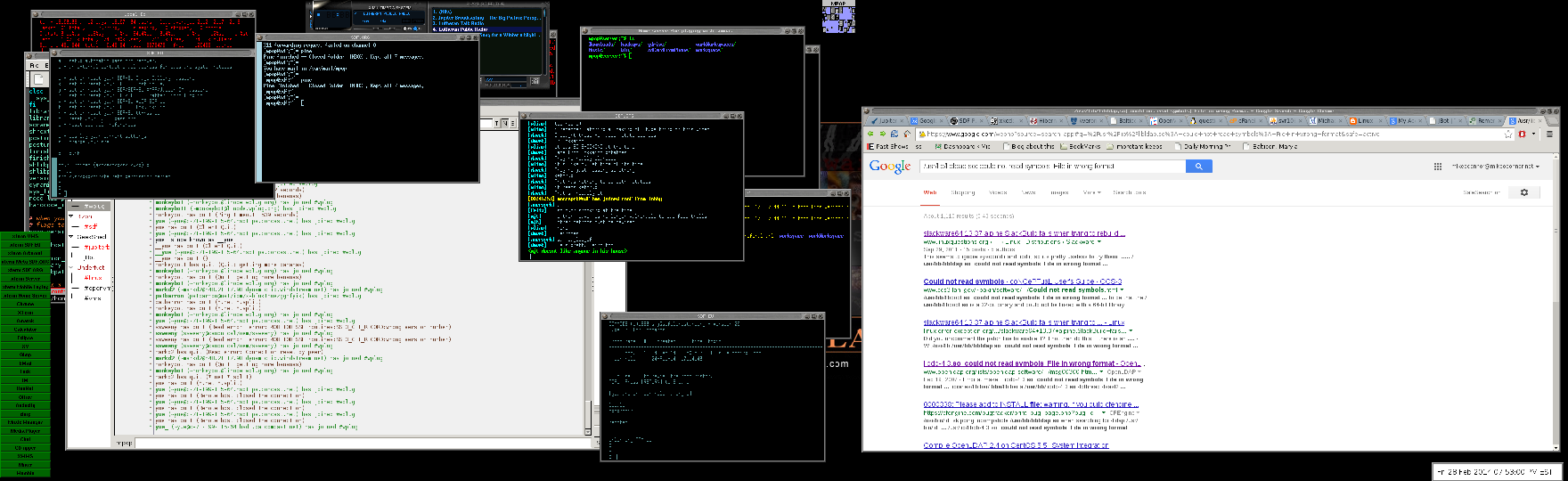
Thanks to thomas_adam in the FVWM chat room on the FREE NODE irc network, I have gotten FVWM much closer to looking the way I want it to look. See the Screen Shot below.

If you want to mess with my config file for FVWM (but as Thomas said it has alot of FVWM 1.x stuff still in it so if you don’t like that you might want to avoid this file) you can get my config file at http://www.mikeoconnor.net/linuxConfigs/.fvwm2rc
Slackware and FVWM
I am resetting up my Linux systems, and I am going back to my roots in Linux going back to Slackware and will be using FVWM for my windows manager, I already know how I am going to set it up. I am going to do a 4×4 pager with the pager in the upper right hand side of the screen and a very basic button bar in the lower left hand side. Don’t need much in the working of the windows manager, I will work mainly off of the bash command line, the way man was meant to use the computer.
Cleaning up a lot of my social network sites
Well I have started to clean up my LinkedIn account might take a few days, deleted a bunch of “contacts” in there, last night I cleaned up my Delicious account. Going to try go get all the social network stuff I have going organized correctly. Also I am not going to be one of those that posts the same thing accross all the networks, each Network will have it own stuff, taking into account who I will let have access to it.
FaceBook — only Friends and Family (the most personal stuff, with limits will get there)
Google+ — Mixed bag, what I post will be limited to circles based on the content of the post.
LinkedIn — Professional stuff
Delicious — Mixed any one can see but just book marks
This Blog — Longer (some time rambling) thoughts that any one can see
Twitter — quick short (sometimes poor attempts at humor) posts that any one can see.
All the time keeping in mind the Golden Rule of the Internet — NEVER POST ANYTHING YOU WOULD NOT WANT YOUR MOTHER OR BOSS TO SEE (as any one can forward what ever you say on the net to any one else and you can not fully control it)
Some updating of my site and others
Not much, the “biggest” part of the update is linking to my FB profile, my G+ profile, and linking in my tweets from Twitter.
Also I dug up my old Delicious account and cleaned up the links in it a bit, going to start using it again. Next on my task list for internet todo is clean up my Linked In account then maybe start using it a bit, I have let it get “dirty” by accepting any one and every on a few years ago, I should really clean out the contacts that have no value to my Linked in account.
Remember When
Remember when blogs were the thing (kind of funny to ask that on a blog) well I have moved my RSS reading from a program to Google Reader so I can not only read it on my computer but also I installed the Google Reader on my Android Phone so I can keep up with my Tech blogs on the go. I wonder what would have been if both the Smart Phone and the blog revolution both came at the same time? Also I wonder if the age of the Blog is over or if it just now a part of life, I don’t think that Google+,Twitter, or Facebook have killed Blogs, they just have changed how blogs are done. People have stopped putting the most personal stuff on blogs (and people that had only Personal Blogs have stopped) but Blogs are still a nice way to get an opinion out, or to publish to the world. I know my blog has slowed down over the years (My first post was on Jul 2, 2004, not bad over 8 years of this, I also blame some of the slow down as I got to involved in World of Warcraft, but now that I don’t play that much anymore, not sure about how much I will play it in the future, I hate what they are doing to the game for the next xpac) But there are still some good blogs out there, some personal, and some Technical, and many Political ones.
Most things are now moving to the “cloud” (wow the internet has had so many names, I remember back in the 90’s it being called the “Information Superhighway”) and we are now almost always connected to the network. I have said it many times before and I will just say it again, in the 80’s Star Trek had the Borg, but we are fast becoming the Borg, and I for one am running to that place at full speed.